 Ostia
Ostia



Your own sidebar sections
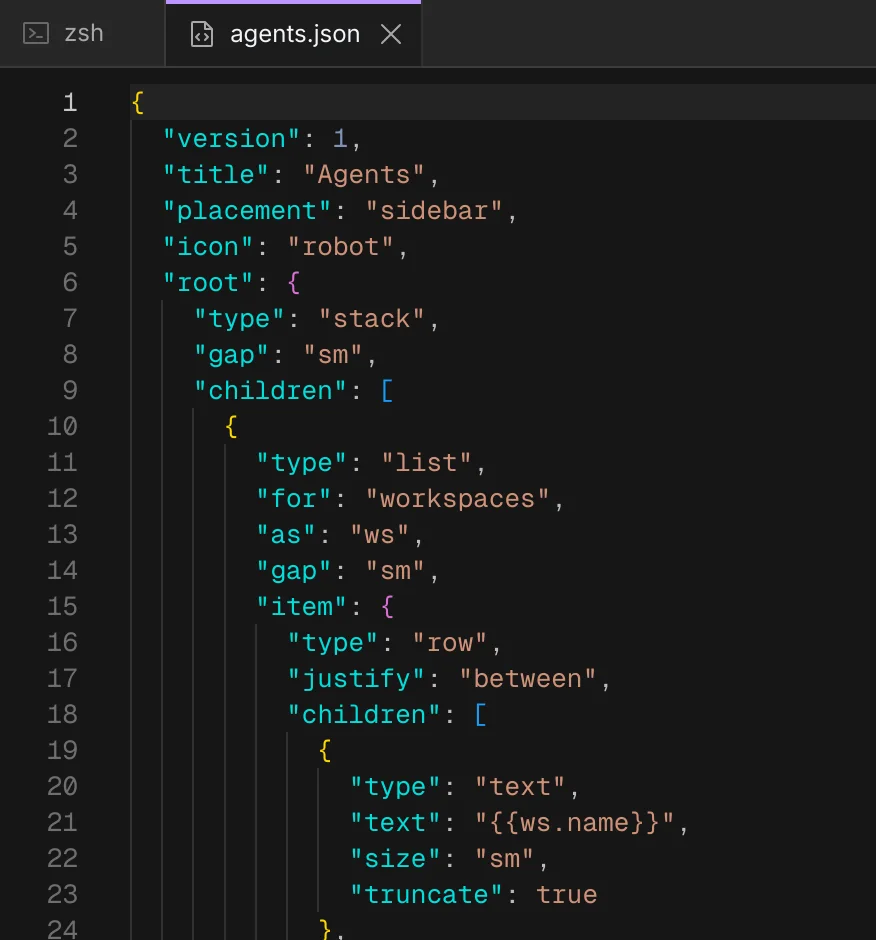
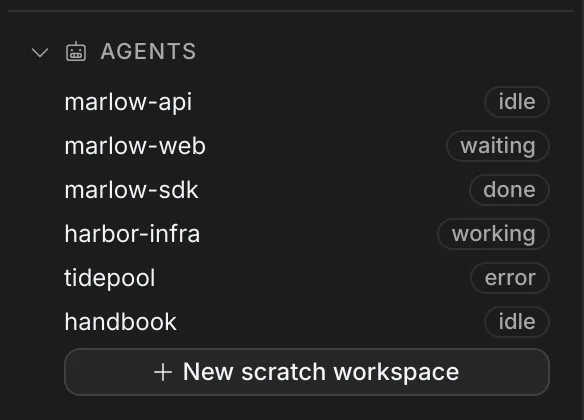
Describe a sidebar section in one JSON file. An agent can write it for you, and Ostia shows it once you switch it on.
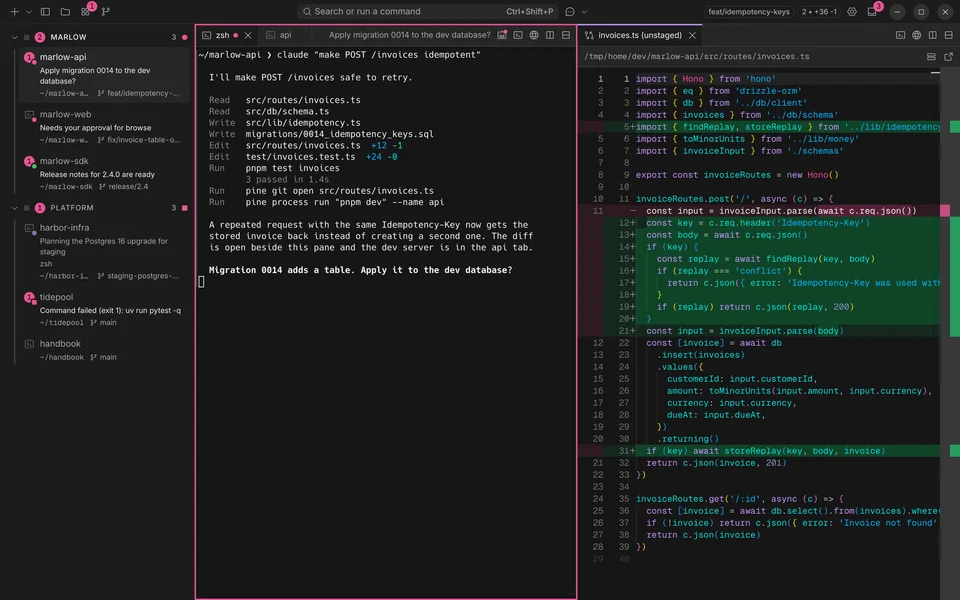
Ostia is a terminal for macOS and Linux where you run coding agents beside your shell, then watch, guide and approve their work. It brings no agent of its own: use Claude Code, Codex or any CLI.
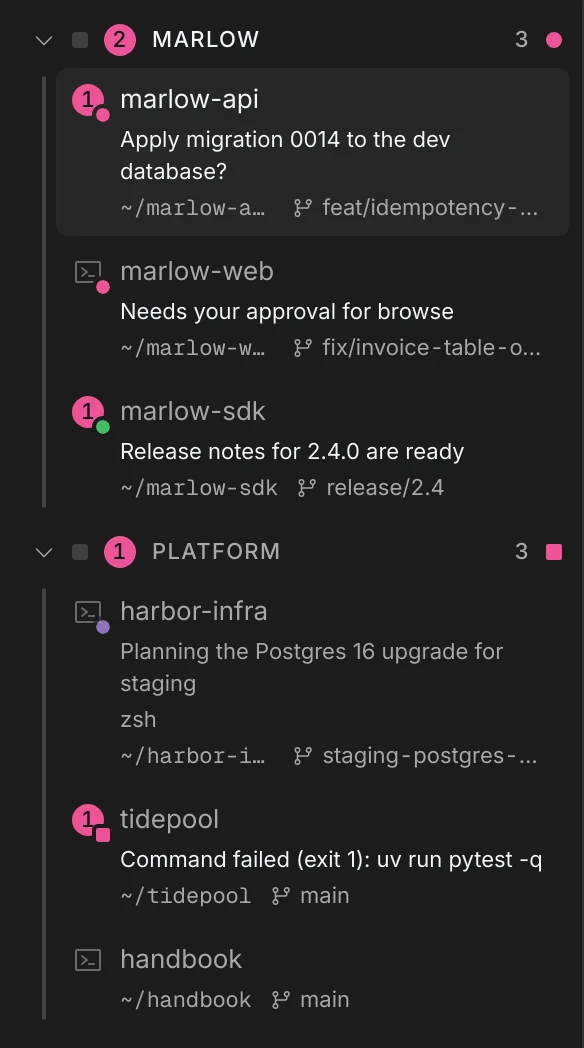
Run agents. Several agent sessions in one window. The sidebar shows which is working, which is waiting for you and which is done.
The agent sessions in these captures are scripted stand-ins running in the real app.
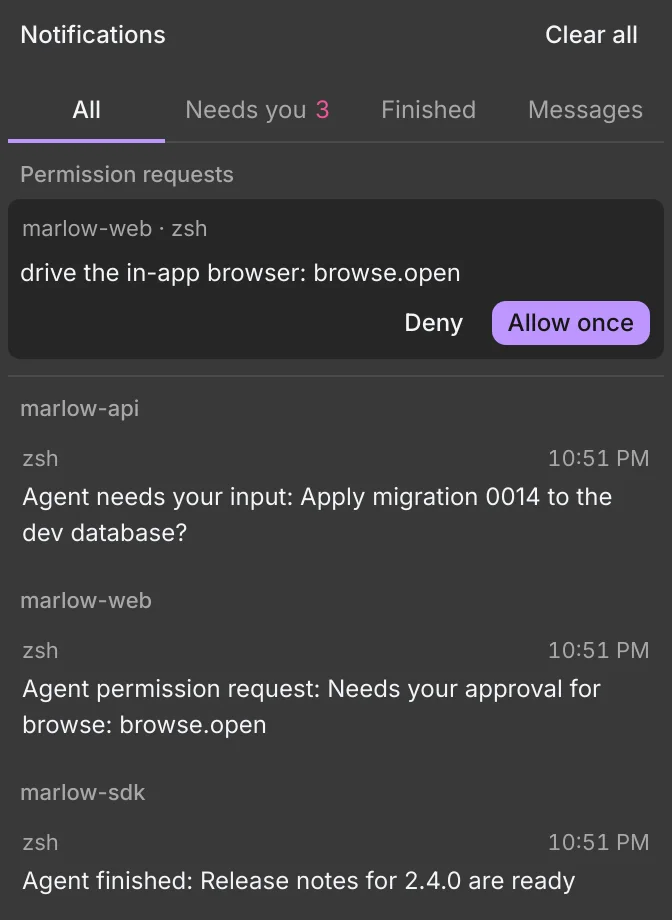
Each agent reports whether it is working, waiting for you or done. The sidebar and the notifications show that for every project at once.
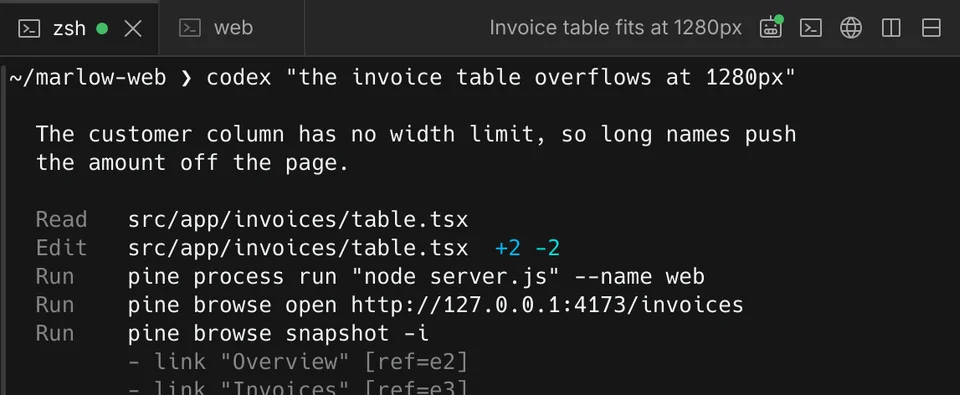
Every terminal in Ostia has a pine command. An agent uses it to open tabs, a browser and diffs, and you watch each one appear.
pine process run "node server.js" --name web
Runs the server in a new tab that you can watch or stop.
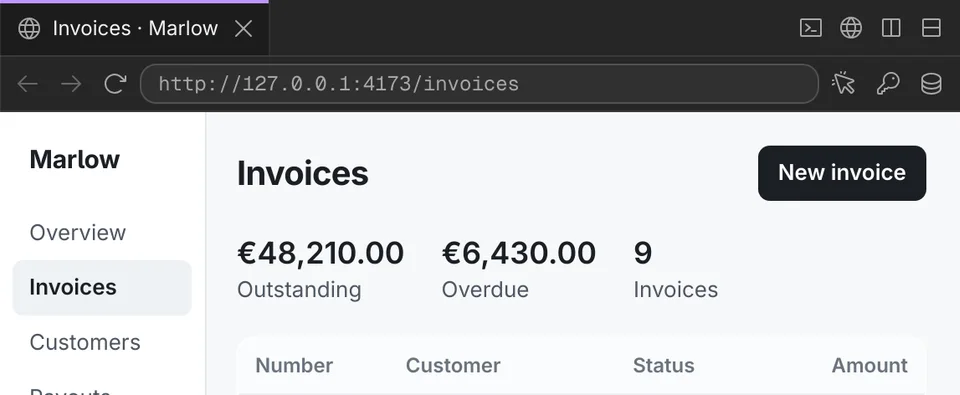
pine browse open http://127.0.0.1:4173/invoices
Opens the page in Ostia's browser, where the agent can read and click it.
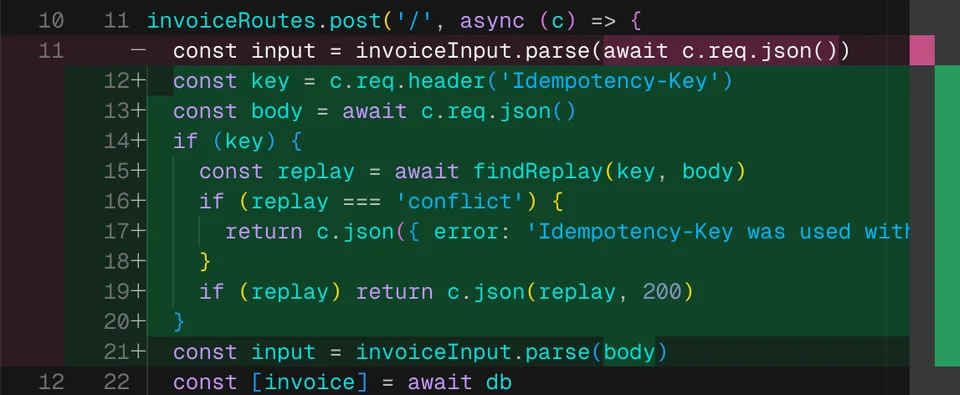
pine git open src/routes/invoices.ts
Opens the file's changes as a diff beside the shell.
pine state waiting "Apply migration 0014?"
Marks the project as waiting, shows the question in the sidebar and rings the terminal.
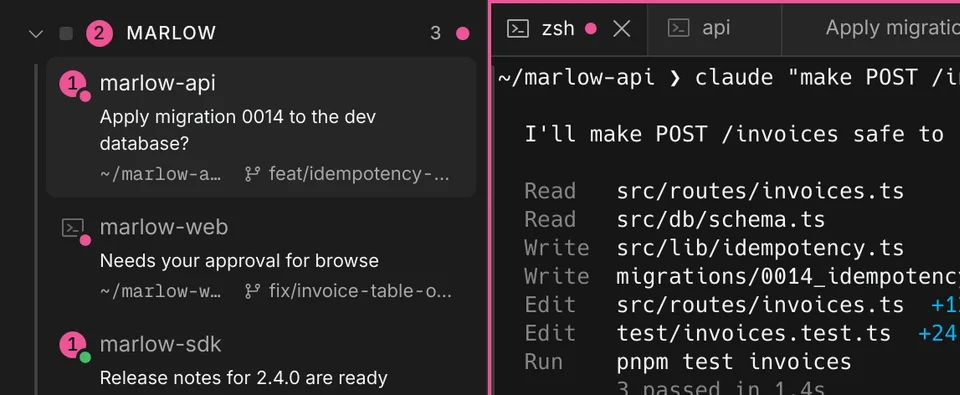
Select code, terminal output or an element on a page and add a note. The agent gets the exact location, a screenshot and, from a page, its console errors.
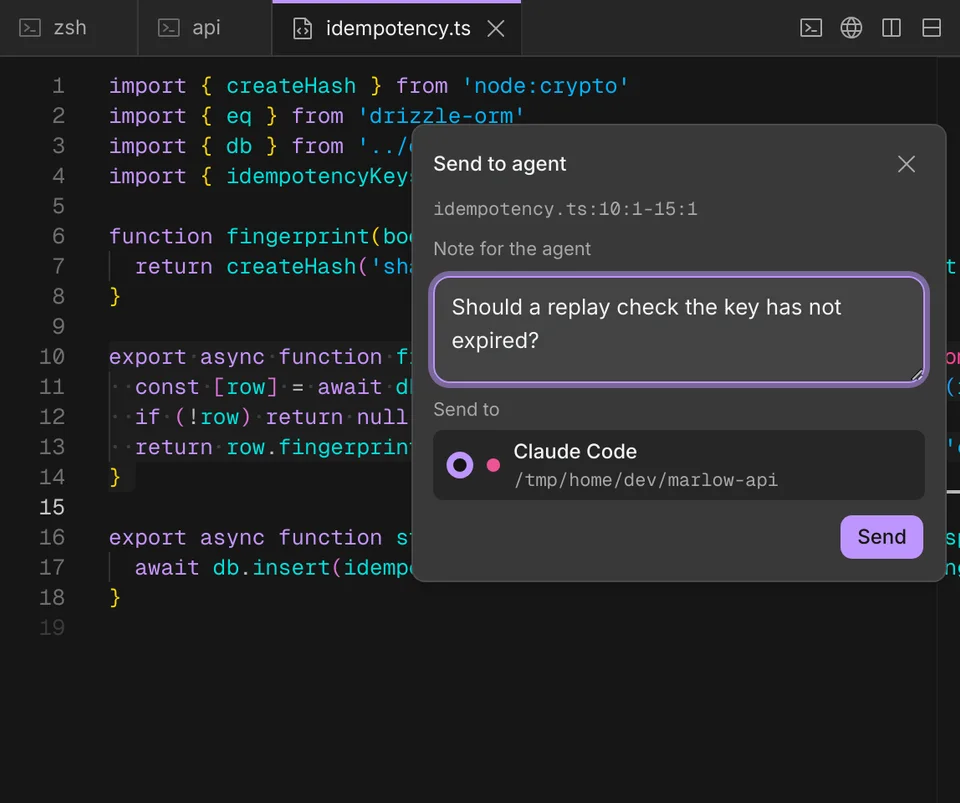
Sends the file path, the selected lines and your note.
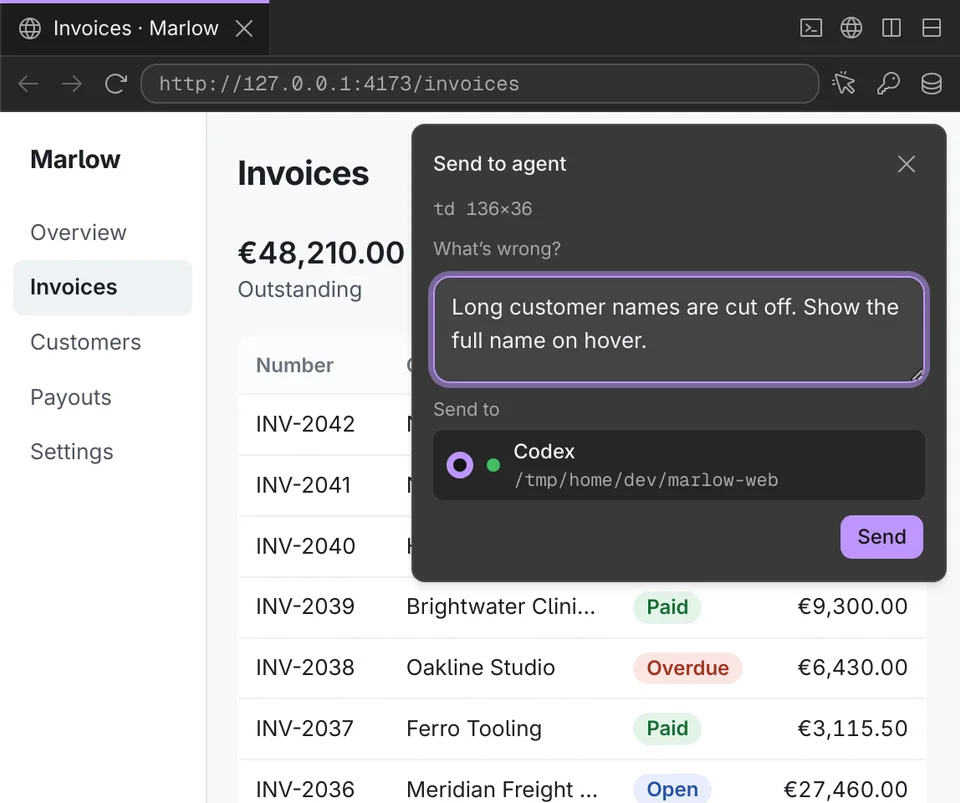
Sends the element you clicked, its styles, a screenshot and any console errors.
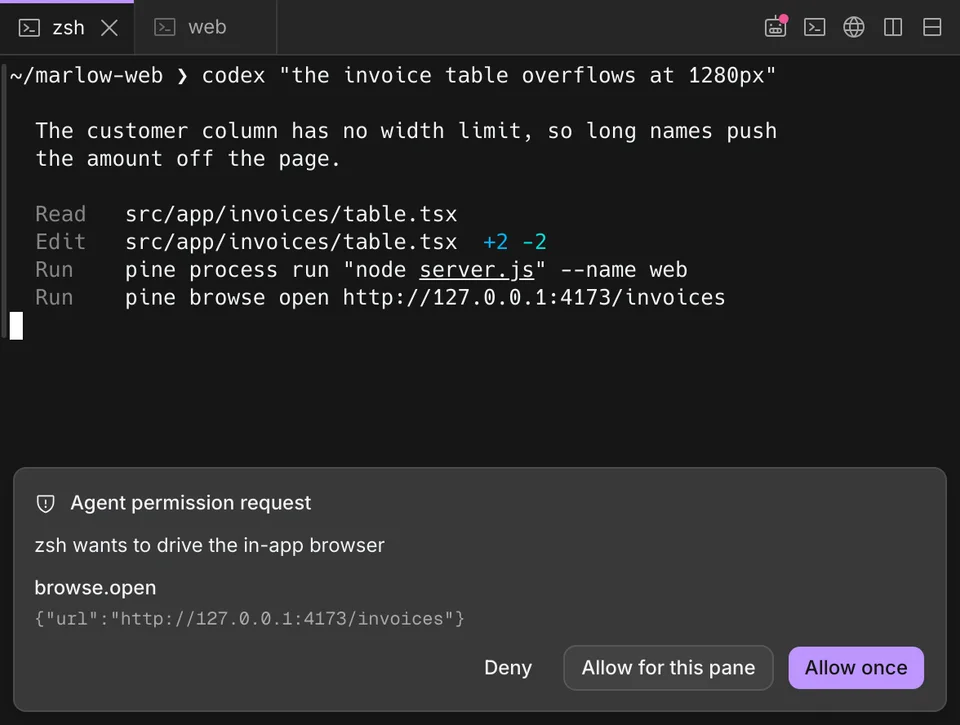
Ostia pauses a request that needs a new permission. Allow it once, allow it for that terminal, or deny it.
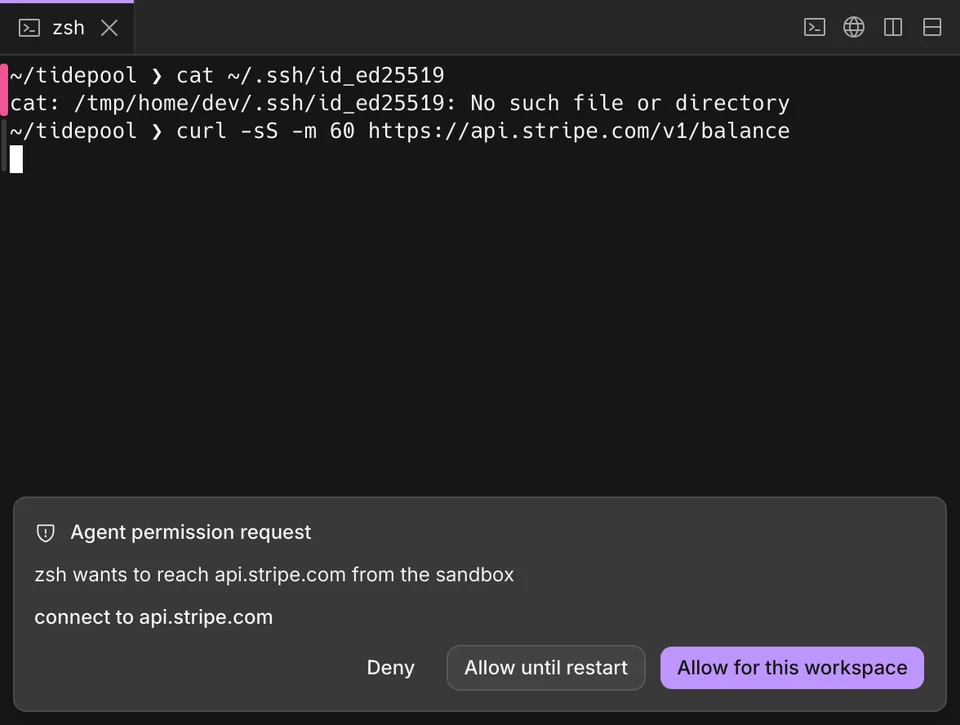
In a sandboxed project, shells reach only its folder and the network hosts you allow. Anything else asks you first.
Describe a sidebar section in one JSON file. An agent can write it for you, and Ostia shows it once you switch it on.
Add a repository that lists extensions, install the ones you want, and approve each before it runs. Write your own in any language.
{
  "id": "weather",
  "name": "Weather",
  "api": "1.1",
  "capabilities": ["notify"],
  "contributes": { "paneChips": true }
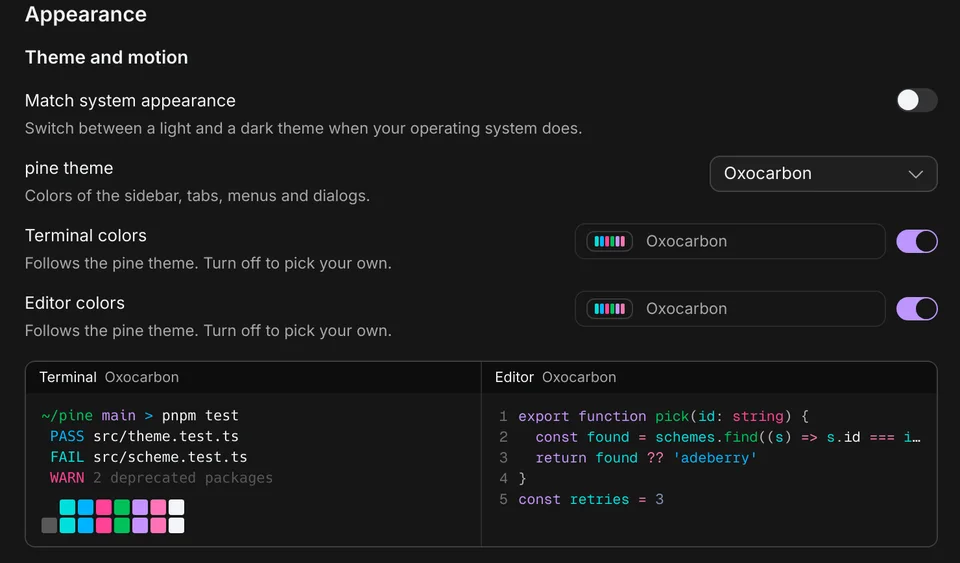
}Pick a theme, then give the terminal or the editor its own colour scheme. Choose what your prompt shows and set your own keyboard shortcuts.
Version 0.5.9, published October 7, 2026, for macOS 13 or later on Apple silicon and Linux on x64.
brew install --cask aurigax-ai/tap/ostiaOn Linux, get the tarball or the .deb from the download page.